


Notice: Function WP_Scripts::localize was called incorrectly. The $l10n parameter must be an array. To pass arbitrary data to scripts, use the wp_add_inline_script() function instead. Please see Debugging in WordPress for more information. (This message was added in version 5.7.0.) in /var/www/beta.hauptwerk.com/wp-includes/functions.php on line 6131

Hauptwerk-local

Hauptwerk version 9

THE BEST AND LATEST VERSION OF HAUPTWERK

NEW FOR VERSION 9

Major user interface improvements

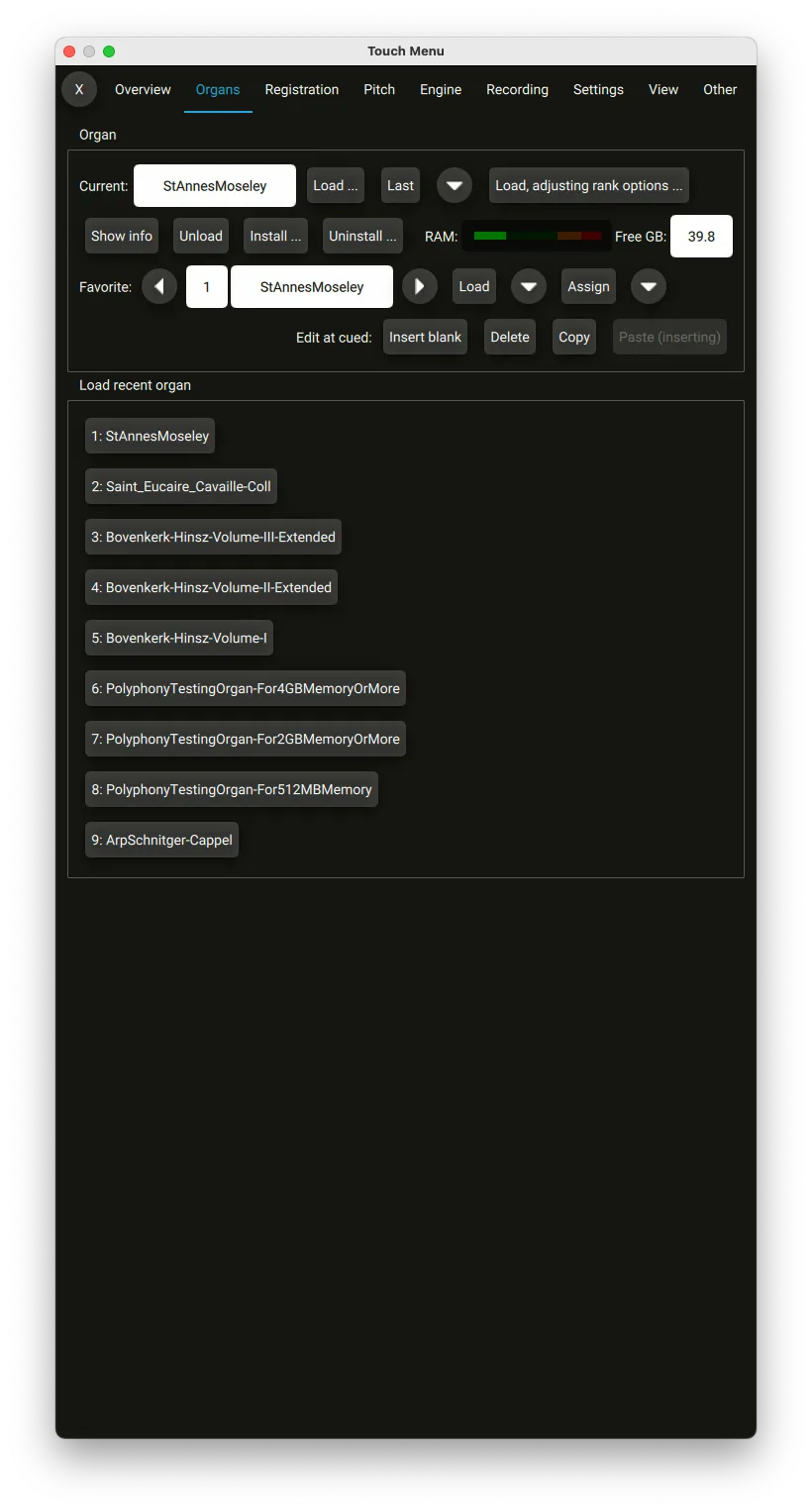
Hauptwerk 9 has a more intuitive user interface designed for easier navigation through all of the many functions Hauptwerk offers. Enhance your user experience with redesigned layouts, more prominent visual cues for active controls, and a shift towards optimizing usability on touch screens.

Hauptwerk 9 has a more intuitive user interface designed for easier navigation through all of the many functions Hauptwerk offers. Enhance your user experience with redesigned layouts, more prominent visual cues for active controls, and a shift towards optimizing usability on touch screens.

Hauptwerk 9 has a more intuitive user interface designed for easier navigation through all of the many functions Hauptwerk offers. Enhance your user experience with redesigned layouts, more prominent visual cues for active controls, and a shift towards optimizing usability on touch screens.

Hauptwerk 9 has a more intuitive user interface designed for easier navigation through all of the many functions Hauptwerk offers. Enhance your user experience with redesigned layouts, more prominent visual cues for active controls, and a shift towards optimizing usability on touch screens.

Hauptwerk 9 has a more intuitive user interface designed for easier navigation through all of the many functions Hauptwerk offers. Enhance your user experience with redesigned layouts, more prominent visual cues for active controls, and a shift towards optimizing usability on touch screens.

TOUCH MENU
NAVIGATION

Major user interface improvements

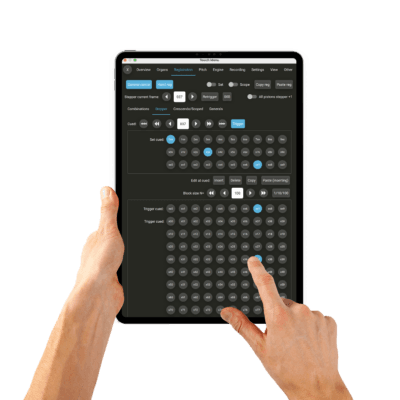
Hauptwerk 9 has a more intuitive user interface designed for easier navigation through all of the many functions Hauptwerk offers. Enhance your user experience with redesigned layouts, more prominent visual cues for active controls, and a shift towards optimizing usability on touch screens.

AUDIO MIXER/PIPE VOICING

Pipe and Rank Voicing - Total control over your sound.

Voice, Balance and EQ

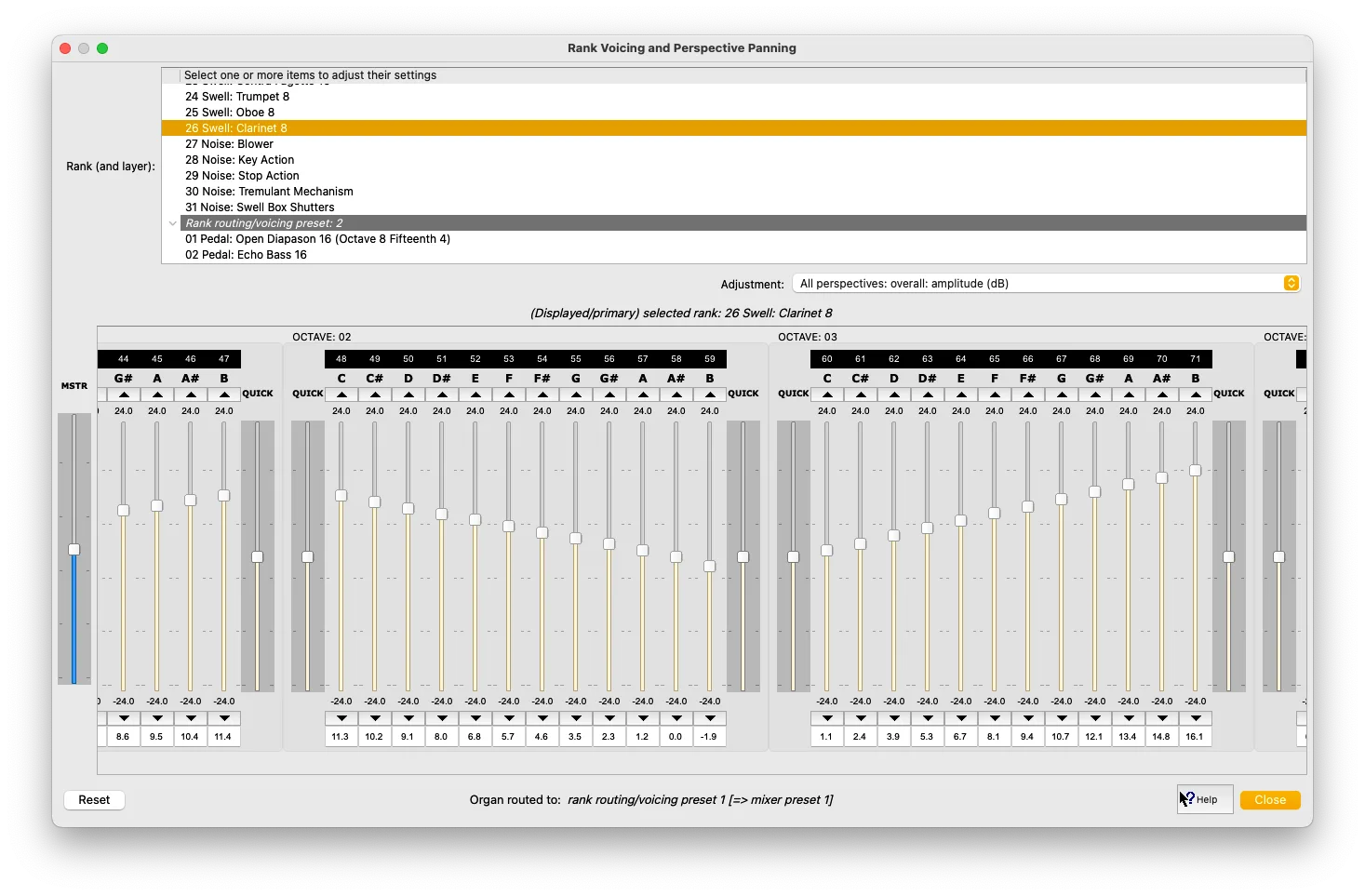
The Advanced Edition of Hauptwerk offers full voicing and balancing controls giving you the option to customize each pipe’s volume, brightness, tuning, expression, tremulants, wind modeling, stereo panning and EQ. Select a rank, then select the voicing parameter and adjust each slider as needed to voice or balance the instrument to your listening environment and your tastes. Up to 4 user presets can be stored allowing for different voicing configurations for each organ without leaving the application.

Audio routing and voicing (Advanced Edition only)

Ranks’ audio can optionally be routed directly to primary mixer buses, instead of via groups, which avoids the need to set up (or use) groups if routing ranks to individual speaker pairs. The “Organ settings | Rank routing …” screen has been renamed accordingly, and now contains primary bus entries in its dropdown lists of destinations, in addition to the existing group entries. (Note also that output perspectives 2-4 are now routed directly to primary buses 2-4 by default when loading a new organ or resetting its rank routing, although default groups 2-4 continue to exist for compatibility with previously-loaded organs.)

Hauptwerk has 4 per-organ ‘rank routing/voicing presets’ (in addition to the existing 128 audio ‘mixer
presets’, which aren’t organ-specific, but each organ specified which of them it would use). Each one
defines:

Which of the 128 mixer presets of it should route to.
A complete set of rank routing, as defined by the “Organ settings | Rank routing to audio mixer
buses/groups” screen, with expandable nodes in its left-hand rank list for the four rank
routing/voicing presets.
A complete set of rank voicing, as defined by the “Organ settings | Rank voicing and surround/3D
panning” screen, with expandable nodes in its rank list for the four rank routing/voicing presets.
*Learn more about the many other audio changes in the Hauptwerk 9 Release Notice.

HOW IT WORKS

01

Download the Software

Windows or iOS?
We have you covered

Download

02

Get the latest version

Available in Lite and Advanced Editions with Subscription and Perpetual License

Get Free Trial

03

Try, Buy, and Play Instantly

Explore our Learn section and keep the music playing

Explore Learn